











| Software | PDF Download | Print This Page |
CADopia™ IntelliCAD®
| Full
Featured Professional Design and Drafting Software |
|
Photo
Realistic Renderings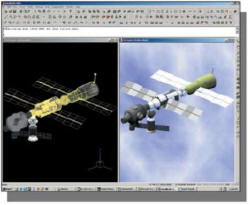 Create photo-realistic renderings using present lighting effects, surface material and backgrounds to create high quality renderings of your drawing. Choose from preset lighting effects, surface materials and backgrounds. Assign colours based on layers. You may also import images to set the background. (CADopia Pro Edition only) Boundary and Associative Hatching CADopia IntelliCAD can hatch a closed boundary automatically New! Layout Manager™ Create multiple layouts or paper spaces. Layouts provide a WYSIWYG preview of exactly what will plot before the drawing is plotted reducing plotting errors. Set a layout as a current layout, rename or delete them as needed. Each layout displays a paper border that reflects the plot area for that layout, rename or delete them as needed. 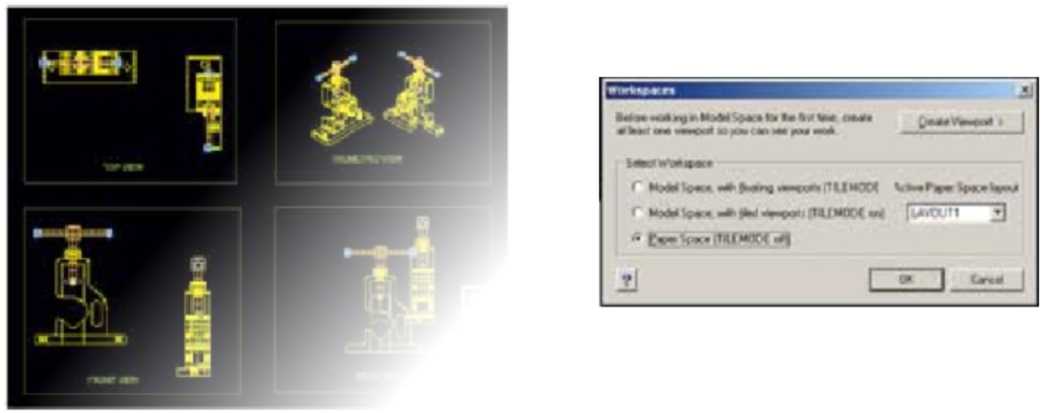 |
The perfect choice for
creating, editing and managing drawings TM Uses auto drag file format (no translation) Runs AutoCAD auto-lisp routines. New! Solid Modelling Create complex 3D shapes by using basic shapes as building blocks. CADopia IntelliCAD includes ACIS solid modelling engine and supports Boolean operations, mass and section property calculations, sectioning, slicing, revolving about a path and extruding along a path. 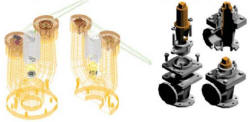 Enhanced! CADopia IntelliCAD Explorer™ CADopia IntelliCAD Explorer lets you browse the contents of your drawings at a glance. Dimensioning and Detailing Powerful dimension settings can be set and viewed graphically. Raster image Display and Editing Insert, edit and manipulate maps, photos, and documents inside the drawing. Popular image formats are supported. New! License Management FLEXIm advanced license management technology helps IT managers manage software assets effectively. FLECIm is the “de facto” licensing technology standard for the software industry. You can deploy floating network licenses of CADopia IntelliCAD. |
Microsoft Visual Basic Editor Extend the functionality of CADopia IntelliCAD with Visual Basic add-on application. Microsoft Visual Basic editor allows you to develop custom solutions easily. It also allows you to combine the functionality of IntelliCAD with other applications such as Microsoft Word, Excel and Access. The interface is identical to Microsoft office VBA 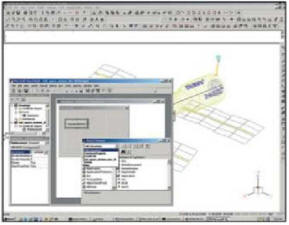 editor. You can use it to
generate bill of materials, parts database or to create a routine to
produce parametric parts. editor. You can use it to
generate bill of materials, parts database or to create a routine to
produce parametric parts.(CADopia Pro Edition only). 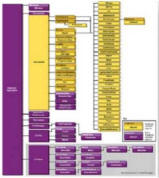 |
|